









You’ve seen it. That unsettling yellow banner at the top of your Amazon Seller Central dashboard. It looks harmless at first glance, maybe even ignorable. But here’s the truth: if you’re seeing that yellow banner, Amazon has already flagged your account. You’re on their radar, and one wrong move could mean waking up to a suspended account and frozen funds.
For thousands of Amazon sellers, this yellow warning is the first domino in a chain reaction that ends with account deactivation. The difference between sellers who recover and those who lose everything? Knowing exactly what that banner means and taking immediate, strategic action.
In this guide, we’ll walk you through everything you need to know about the Amazon account at risk notification, why it appears, and the exact steps to resolve it before it’s too late.
Understanding the Amazon Account at Risk Notification
The yellow banner warning in Amazon Seller Central isn’t just a friendly reminder. It’s Amazon’s way of telling you that your account health is deteriorating and you need to act fast. This notification appears when specific metrics fall below Amazon’s performance standards or when you’ve violated seller policies.
When you log into Seller Central and see this alert, Amazon has already documented issues with your account. Ignoring it won’t make it disappear. In fact, the longer you wait, the more severe the consequences become.
What Triggers the Amazon Seller Account Suspension Warning
Several factors can trigger the account at risk notification:
Order Defect Rate (ODR): When your ODR exceeds 1%, Amazon starts monitoring your account closely
Late Shipment Rate: Consistently shipping orders after the expected delivery date damages your account health
Customer Complaints: Negative feedback, A-to-Z claims, and chargebacks all contribute to poor account standing
Policy Violations: Breaking Amazon’s selling policies, especially intellectual property rules
Missing Documentation: Failure to provide required business verification documents
Product Compliance Issues: Selling restricted products or items that don’t meet safety standards
Each of these issues carries a different weight in Amazon’s system. Some are fixable with quick action, while others require detailed appeals and documentation.
How to Check Your Amazon Account Health Status
Don’t wait for the yellow banner to appear. Proactive sellers check their account health regularly to catch issues early. Here’s how to access your account health dashboard:
First, log into your Amazon Seller Central account. Click on the hamburger menu (three horizontal lines) in the top left corner. Navigate to Performance, then select Account Health from the dropdown menu.
Reading Your Account Health Dashboard
Your Account Health page shows your current standing with Amazon. At the top, you’ll see your overall account status: Good Standing, At Risk, or Critical. Below that, you’ll find detailed metrics broken down into categories.
The dashboard displays three main sections:
Customer Service Performance: Includes metrics like negative feedback rate, A-to-Z claims, and credit card chargebacks
Shipping Performance: Shows your late shipment rate, pre-fulfillment cancel rate, and valid tracking rate
Policy Compliance: Lists any active policy violations, intellectual property complaints, or product compliance issues
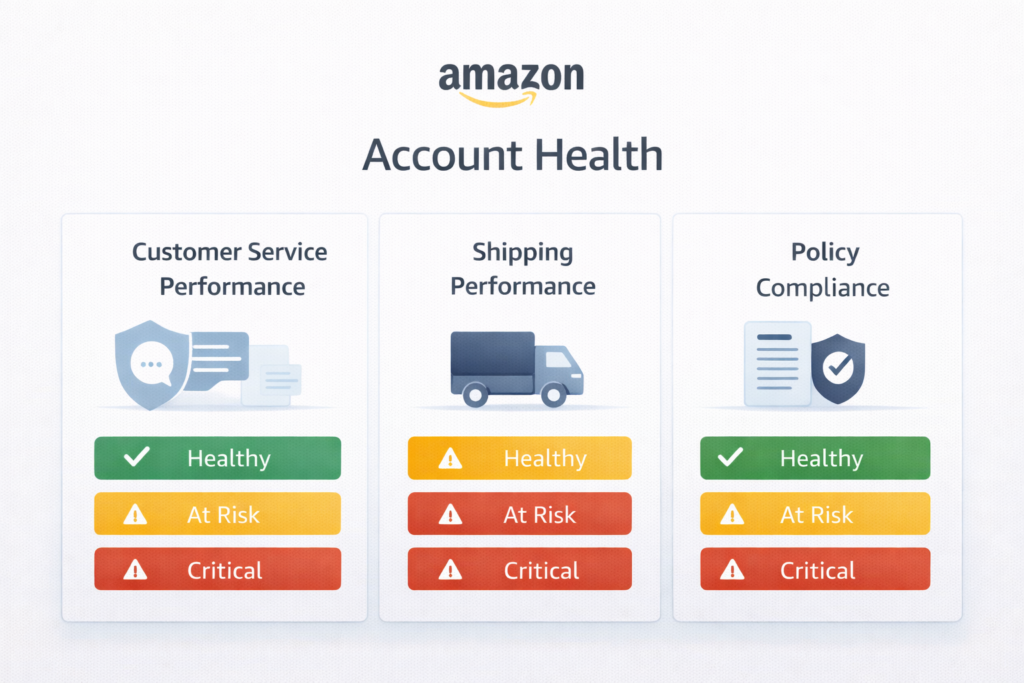
Each metric has a target threshold. When you exceed these thresholds, your account health suffers. The dashboard uses color coding: green means you’re meeting standards, yellow indicates you’re approaching the limit, and red signals you’ve crossed into dangerous territory.
Amazon Intellectual Property Violations: The Tier-1 Threat
Among all Amazon account issues, intellectual property violations stand at the top of the severity pyramid. These are Tier-1 violations, meaning Amazon treats them with zero tolerance. One intellectual property complaint can put your entire business at risk.
Types of Intellectual Property Violations on Amazon
Amazon recognizes several types of IP violations:
Trademark Infringement: Using someone else’s brand name, logo, or trademark without permission
Copyright Violation: Copying product images, descriptions, or content from other sellers or brands
Patent Infringement: Selling products that infringe on someone else’s patented design or utility
Counterfeit Products: Listing fake or replica items as authentic branded products
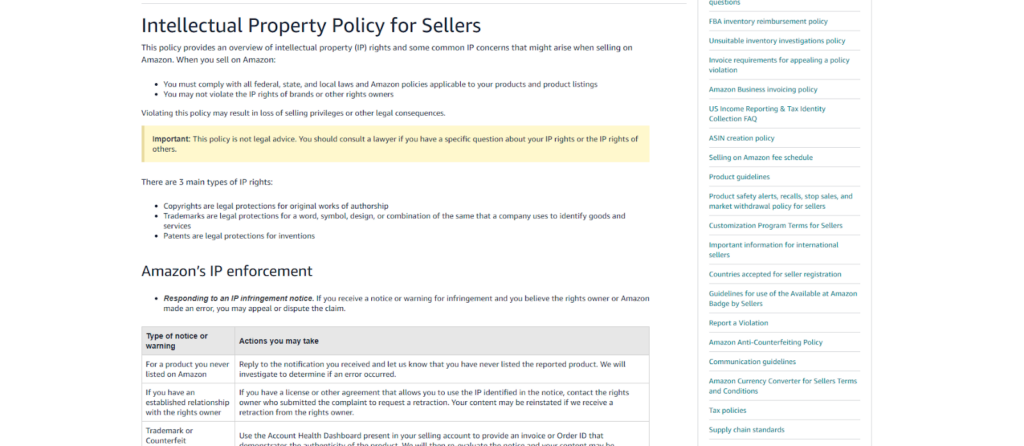
When a rights owner files a complaint against your listing, Amazon immediately removes the product and issues a policy violation notice. Your account health rating takes a critical hit, and you must respond quickly with a solid appeal.
How to Handle Amazon Policy Violations
When you receive a policy violation notification, time is your enemy. Amazon doesn’t send multiple warnings for intellectual property issues. They suspend first and give you a limited window to appeal.
To view your violation details, go to your Account Health page and scroll down to the Policy Compliance section. You’ll see all active violations listed there. Click on any violation to see specific details: the product ASIN, the type of violation, the complainant (if disclosed), and Amazon’s action.
For intellectual property violations, you’ll typically see options like “View Appeal” if you’ve already submitted a response, or “Submit Appeal” if you haven’t. The appeal button is your lifeline, but clicking it without a proper strategy is like showing up to court without a lawyer.
Crafting the Perfect Amazon Appeal Letter
Your appeal is not just an explanation. It’s a business recovery document that must demonstrate three things: you understand what went wrong, you’ve taken corrective action, and you’ve implemented measures to prevent future violations.
Essential Components of an Effective Amazon Seller Appeal
Every successful appeal follows a specific structure:
Immediate Acknowledgment: Start by clearly stating which policy you violated and the specific product involved
Root Cause Analysis: Explain exactly how the violation occurred without making excuses
Corrective Actions Taken: Detail the specific steps you’ve already implemented to fix the problem
Prevention Measures: Outline the systems and processes you’ve put in place to ensure this never happens again
Professional Tone: Keep your language formal, factual, and free of emotional appeals
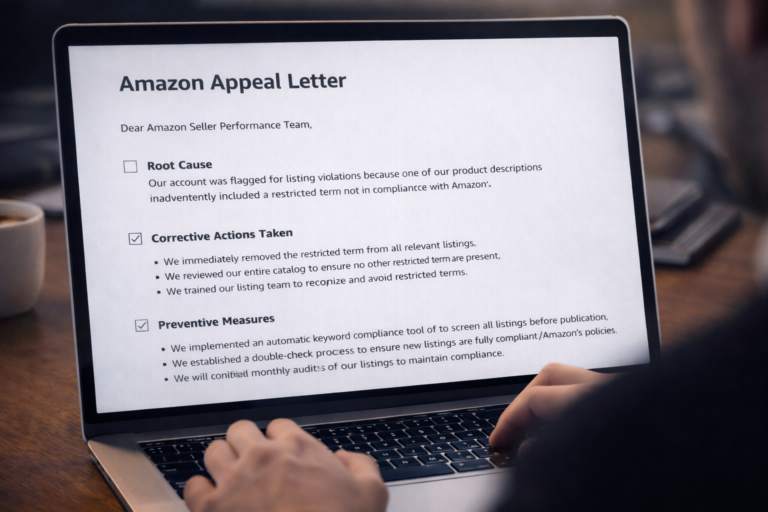
Amazon receives thousands of appeals daily. The ones that succeed are specific, actionable, and demonstrate genuine business improvement. Generic templates and emotional pleas get rejected immediately.
Resolving Amazon Food and Product Safety Issues
Not all account health issues threaten immediate suspension. Some violations, like food and product safety concerns, put specific listings at risk without immediately jeopardizing your entire account. However, these still require prompt attention.
When Amazon flags a product for safety concerns, you’ll see a “Listing at Risk of Removal” notification. Unlike policy violations, these safety issues typically won’t impact your overall account health rating immediately, but ignoring them will eventually compound into bigger problems.
Two Options for Product Safety Appeals
Amazon gives you two paths to resolve safety concerns:
Option 1: Verify Your Product
Submit documentation proving your product meets Amazon’s safety standards. This might include safety certifications, test reports from approved laboratories, or compliance documents from regulatory bodies.
Option 2: Request an Appeal
If you believe your product doesn’t require the specific verification Amazon is requesting, you can file an appeal explaining why. This approach works when Amazon has incorrectly categorized your product or applied the wrong safety standards.
Choose your path carefully. Submitting incorrect documentation or a weak appeal can result in permanent listing removal and additional account scrutiny.
How to Fix the Amazon Inform Consumers Act Verification
One of the most common account health issues in recent times is the Amazon Inform Consumers Act (INFORM Act) verification requirement. This federal regulation requires online marketplaces to verify certain information about high-volume sellers.
When Amazon flags your account for INFORM Act verification, you’ll see a notification in your Account Health section with a “Resolve Issues” button.
The Right Way to Complete INFORM Act Verification
Here’s the critical step-by-step process that prevents complications:
Click the “Resolve Issues” button immediately when you see the notification. Amazon will display all the information they need to verify. Review everything carefully, then click “Proceed and Certify.” After certification, you’ll see a confirmation message. Simply click “Dismiss.”
Within 24 hours, the issue typically resolves and your account returns to good standing. But here’s where most sellers make a costly mistake.
The Edit Button Trap: Why You Should Never Click It
When you reach the verification page, you’ll see an “Edit” button alongside your business information. Do not click it. Do not change anything. Simply proceed with certification.
Why is this so important? Clicking the “Edit” button triggers a complete re-verification process in Amazon’s system. When that happens, Amazon rechecks everything: your identity documents, business address, bank account information, phone number, and tax identification.
You then have only 10 days to pass this expanded verification. If you fail to provide all required documents or if anything doesn’t match perfectly, Amazon suspends your account. The risk isn’t worth it.
The smart approach: complete the INFORM Act verification as requested, wait for the warning to clear, then update any necessary information through your regular account settings when you’re back in good standing.
Understanding Amazon Seller Account Metrics
Maintaining a healthy Amazon account requires understanding the key performance metrics Amazon tracks. These numbers directly impact your account health and ability to sell.
Critical Performance Metrics Every Seller Must Monitor
Order Defect Rate (ODR): Your ODR must stay below 1%. This metric combines negative feedback, A-to-Z guarantee claims, and service credit card chargebacks. Even approaching 1% puts you at risk of suspension.
Late Shipment Rate: Amazon expects you to ship orders on time. Your late shipment rate should remain under 4%. Consistently late shipments frustrate customers and damage your account standing.
Pre-Fulfillment Cancel Rate: Canceling orders after customers place them signals inventory management problems. Keep this metric below 2.5%. High cancellation rates suggest you’re listing products you can’t actually deliver.
Valid Tracking Rate: Amazon requires valid tracking information for at least 95% of shipments. Missing or invalid tracking numbers hurt both customer experience and your account health.
Customer Response Time: Respond to customer inquiries within 24 hours. Fast response times improve customer satisfaction and demonstrate professional seller behavior.
Monitor these metrics weekly, not monthly. By the time a metric turns red, you’re already in trouble. Proactive monitoring lets you catch trends early and make corrections before Amazon issues warnings.
Preventing Future Amazon Account Health Issues
The best appeal is the one you never have to write. Successful Amazon sellers build systems that prevent account health problems before they start.
Building a Proactive Account Management System
Daily Dashboard Reviews: Check your Account Health page every morning. Make it part of your routine like checking email.
Automated Alerts: Set up notifications for negative feedback, returns, and customer messages so you can respond immediately.
Inventory Buffer Systems: Maintain extra inventory to prevent cancellations and late shipments during demand spikes.
Product Compliance Audits: Regularly review your catalog to ensure all listings comply with current Amazon policies.
Documentation Library: Keep all product certifications, invoices, and compliance documents organized and easily accessible.
Customer Communication Templates: Develop professional response templates for common issues to ensure quick, consistent communication.
Prevention requires more upfront work but saves exponential time and stress when problems arise. An ounce of prevention truly equals a pound of cure in Amazon selling.
What to Do When Your Amazon Account Gets Suspended
Despite your best efforts, suspensions can still happen. Maybe a competitor filed a false IP complaint, or a sudden metric spike triggered an automatic suspension. When you receive a suspension notice, every hour counts.
Immediate Actions After Suspension
First, don’t panic. Emotional responses lead to poor appeals that get rejected. Take a breath, read Amazon’s suspension notice carefully, and identify exactly what caused the suspension.
Second, preserve all evidence. Take screenshots of your Account Health page, save all customer communications related to the issue, and compile any relevant documentation. You’ll need this for your appeal.
Third, analyze the root cause honestly. Amazon wants to know what went wrong at a system level, not just for one transaction. Dig deeper than “a customer complained” to understand why processes failed.
Fourth, draft your Plan of Action following Amazon’s three-part structure: root cause, corrective actions, and preventive measures. Be specific, be detailed, and be professional.
Finally, submit your appeal through the proper channels in Seller Central. Don’t try to contact Amazon through multiple channels simultaneously. This confuses the case and delays resolution.
FAQ
Q. How long does it take for Amazon to resolve account health issues?
Resolution time depends on the issue type. Simple INFORM Act verifications often clear within 24 hours. Policy violations usually take 2–5 business days, while complex IP cases can take up to 14 days. Requests for additional information can extend timelines by another 3–7 days.
Q. Can I open a new Amazon seller account if mine gets suspended?
No. Creating a new account after suspension violates Amazon’s Terms of Service and often results in permanent bans. Amazon links accounts using bank details, tax IDs, IP addresses, and device data. The only legitimate option is appealing the original suspension.
Q. What is the difference between account-level and listing-level issues?
Account-level issues affect your entire selling privilege and can lead to full suspension. Listing-level issues impact specific ASINs but not your whole account immediately. However, repeated listing issues can escalate into account-level problems. Account-level issues always require urgent attention.
Q. How many policy violations can I get before suspension?
Amazon does not follow a fixed “strike” system. A single serious violation can cause immediate suspension. Account health is based on severity, frequency, and risk. Every violation increases the likelihood of future enforcement.
Q. Should I hire a professional to write my Amazon appeal?
Professional help is often valuable for complex or repeated violations. Experts understand what Amazon reviewers look for and how to structure effective action plans. Simple issues can be handled самостоятельно. If your first appeal is rejected, professional assistance is strongly recommended.
Q. What happens to my inventory if Amazon suspends my account?
FBA inventory remains in Amazon warehouses but cannot be sold. If reinstated, listings reactivate automatically. If suspension is permanent, you can request inventory removal or disposal for a fee. FBM inventory remains with you but cannot be sold on Amazon.
Q. Can negative feedback be removed from my account?
Amazon only removes feedback that violates its guidelines. This includes offensive language, personal information, or product reviews posted as seller feedback. Unfair but compliant feedback cannot be removed. Your best option is a professional response or customer resolution.
Q. How does the Order Defect Rate calculation work?
ODR is the percentage of orders with defects over a 60-day period. Defects include negative feedback, A-to-Z claims, or chargebacks. Multiple defects on one order count only once. Your ODR must stay below 1% to remain compliant.
Conclusion
The yellow banner warning in Amazon Seller Central isn’t the end of your business—it’s a critical signal demanding immediate attention. Every day thousands of sellers successfully navigate account health issues and return to good standing by understanding what Amazon wants and responding strategically.
The key takeaways: monitor your account health proactively, understand the difference between account-level and listing-level issues, never ignore notifications, and respond to problems with detailed action plans rather than excuses or emotion.
Remember that intellectual property violations require the most serious attention, while issues like INFORM Act verification can be resolved quickly with the correct approach. Avoid common mistakes like clicking “Edit” during verification processes or submitting rushed appeals without proper documentation.
Your Amazon business represents hours of work, financial investment, and entrepreneurial dreams. Protecting your account health isn’t just about following rules—it’s about building sustainable systems that keep your business thriving long-term.
How Ecomclips Can Help on the Issue
When you’re staring at that yellow banner or worse, a suspension notice, every decision matters. One wrong move in your appeal can be the difference between reinstatement and permanent deactivation. This is where Ecomclips steps in as your strategic partner.
We’ve successfully resolved hundreds of account health issues for Amazon sellers, from straightforward metric problems to complex intellectual property disputes. Our team understands Amazon’s internal review processes because we’ve navigated them countless times. We know what appeals officers look for, which documentation carries weight, and how to craft Plans of Action that get accounts reinstated.
But our relationship with sellers doesn’t stop at crisis management. We work proactively to prevent issues before they escalate, implementing monitoring systems and compliance protocols that keep your account in good standing month after month.
Whether you’re facing your first policy violation or dealing with a suspended account, Ecomclips brings the expertise to guide you through Amazon’s complex requirements and get your business back on track.
Ecomclips: Your Complete eCommerce Solution Under One Umbrella
At Ecomclips, we bring every eCommerce service you need under one roof — strategy, operations, design, marketing, and growth, all seamlessly connected to help your brand thrive across every marketplace.
Since 2012, we’ve been helping businesses of all sizes launch, scale, and dominate online. From Amazon, Walmart, eBay, and Etsy to Shopify and WooCommerce, our team of marketplace experts, designers, developers, and marketers works together to deliver measurable results.
Our services span the full eCommerce lifecycle:
Account Setup & Product Listing Management: We handle registrations, compliance, and product data optimization across all marketplaces.
Amazon Optimization Service: From keyword-rich titles and A+ content to PPC campaigns and storefront design, we craft listings that convert.
Creative Design & Content Production: A+ visuals, infographics, brand stores, and product videos built to boost engagement.
Advertising & PPC Management: Smart, data-driven ad strategies for Amazon, Walmart, and Google that maximize ROI.
Web Development & Store Design: Shopify, WooCommerce, and Magento websites built for performance and conversion.
Data Management & Automation: Streamlined product feeds, catalog syncing, and inventory control for effortless scalability.
Customer Service & Order Fulfillment: End-to-end support that enhances customer satisfaction and builds long-term loyalty.
Analytics & Growth Strategy: Real-time insights and ongoing optimization to ensure consistent, profitable growth.
Whether you’re launching a new store or managing multiple global marketplaces, Ecomclips acts as your single strategic partner, simplifying complexity and driving sustainable revenue growth.
📝 Website Description
Seeing the yellow warning banner on your Amazon Seller Central dashboard? That means your account health is at risk and suspension could happen anytime.
This guide explains what the Amazon yellow banner really means, the most common policy violations behind it, and step-by-step actions to fix account health issues, prevent suspension, and keep selling safely in 2026.
🏷️ Website Tags (Comma Separated)
Amazon account at risk, Amazon yellow banner, Amazon suspension warning, fix Amazon account health, Amazon policy violation, Amazon seller suspension, account health rating, Amazon seller central issues, Amazon appeal service, Amazon compliance, Amazon seller help, avoid Amazon suspension










+ There are no comments
Add yours